
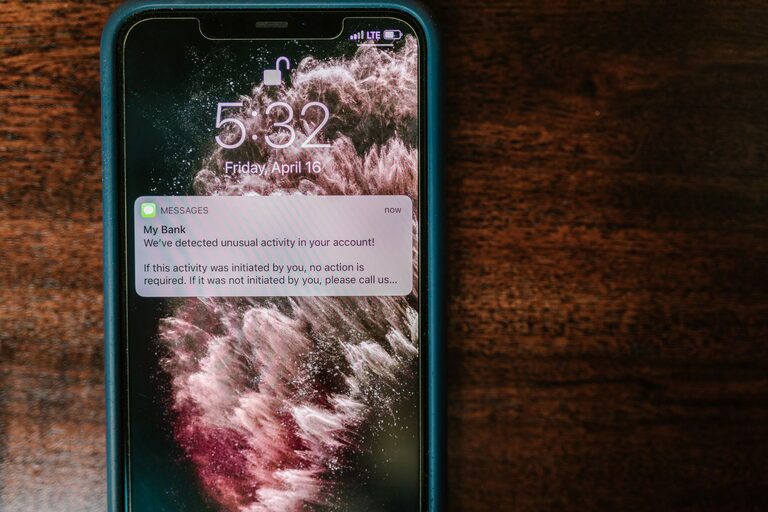
Notifications can be useful, but constant alerts can make it harder to focus, relax, and stay organized. Every sound, vibration, banner, or pop-up asks for a small piece of your attention. Over time, these interruptions can make your day feel reactive instead of intentional.
Setting boundaries with notifications does not mean turning off every alert. It means deciding which updates deserve your attention, when you want to receive them, and which ones can wait. With a few practical changes, you can create a notification system that supports your priorities instead of controlling them.
Start by Reviewing Your Notifications
Before changing settings, take a few minutes to notice how notifications currently affect your day. Think about the alerts you receive on your phone, computer, tablet, smartwatch, and other connected devices.
Ask yourself:
– Which alerts are genuinely useful?
– Which notifications interrupt you most often?
– Which apps send updates you rarely read?
– Do you need to respond immediately, or can the message wait?
– Are alerts appearing on more than one device?
A quick review can reveal that many notifications are not urgent. Shopping updates, game reminders, social activity, promotional messages, and app suggestions may all be competing for your attention.
Create a short list of notifications you want to keep. Then identify the ones you can disable, reduce, or review less frequently.
Separate Important Alerts From Optional Ones
Not every notification should receive the same level of attention. A simple way to create boundaries is to sort alerts into three groups.
Essential notifications
These are updates you may need to see promptly. Examples might include direct messages from important contacts, calendar reminders, travel updates, or alerts related to tasks you are actively managing.
Keep essential notifications limited. If everything is marked as important, the category loses its value.
Useful but nonurgent notifications
These alerts may be helpful, but they do not require an immediate response. Examples include newsletters, delivery updates, group conversations, and activity summaries.
Consider sending these notifications to a daily summary or checking them at set times instead of receiving them throughout the day.
Unnecessary notifications
These are alerts that provide little value or encourage you to open an app without a clear reason. Promotional messages, repeated reminders, and unrelated recommendations often belong in this group.
Turn them off completely when possible. Removing unnecessary alerts is one of the fastest ways to reduce digital noise.
Turn Off Nonessential Alerts
Most devices and apps allow you to control notifications individually. Open your notification settings and review apps one at a time. Disable alerts that do not support your current needs.
You may be able to adjust:
– Sounds
– Vibrations
– Lock screen previews
– Banners and pop-ups
– Badges showing unread counts
– Notifications from specific features
– Alerts during certain hours
Badges deserve special attention. A small number displayed on an app icon can create pressure to check it, even when the message is not important. If badges make you open apps automatically, consider turning them off.
You can also keep a notification visible without adding a sound or vibration. This approach lets you review the update when convenient rather than being interrupted immediately.
Use Scheduled Summaries
Many phones and apps offer scheduled notification summaries. Instead of receiving selected alerts as they arrive, you receive them in a group at times you choose.
For example, you might schedule summaries for:
– Late morning
– Midafternoon
– Early evening
Choose times that fit naturally into your routine. Avoid scheduling summaries during meetings, focused work, meals, or your usual wind-down period.
Summaries work especially well for news, shopping, social media, newsletters, and other updates that are useful but not urgent. You can review several alerts at once without allowing them to interrupt the rest of your day.
Create Focus Periods
A focus period is a set block of time when notifications are limited or paused. Use focus periods for work, study, reading, creative projects, household tasks, or any activity that benefits from uninterrupted attention.
Start with one or two blocks of 30 to 60 minutes. During that time, silence optional notifications and place your phone out of reach if possible.
A focus mode can often be customized to allow selected people or apps through. This gives you a balance between concentration and availability. You might allow calls from family members while silencing social media and promotional alerts.
When setting up a focus mode, keep the rules simple. Too many exceptions can make the mode difficult to use and less effective.
Set Boundaries Around Work Messages
Work-related notifications can easily extend beyond working hours. If your device combines personal and professional messages, consider creating separate profiles or notification schedules.
Helpful options include:
– Silencing work apps after a specific time
– Turning off work email alerts on weekends
– Using a separate sound for urgent contacts
– Checking messages at planned times
– Setting an automatic status that shows when you are unavailable
If you work with a team, share your general availability when appropriate. Clear expectations can reduce the pressure to answer every message immediately.
A notification is not always a request for instant action. Unless a situation is truly time-sensitive, responding during your next planned check-in may be enough.
Protect Your Morning and Evening
The first and last parts of the day often shape how the day feels. Checking notifications as soon as you wake up can pull your attention into other people’s requests before you have decided what matters to you.
Try delaying notifications for the first 30 minutes of your morning. Use that time for breakfast, planning, stretching, reading, or another quiet activity.
In the evening, create a similar boundary. Silence nonessential alerts during the hour before bed, and keep devices away from your sleeping area if that helps you avoid checking them automatically.
You do not need a perfect routine. Even a short notification-free period can create a clearer transition between active time and rest.
Check Messages on Your Schedule
Instead of responding whenever an alert appears, choose specific times to check messages. The schedule can vary depending on your responsibilities, but consistency helps reduce the urge to monitor your devices constantly.
For example, you might check messages:
– After starting your workday
– Before lunch
– In the midafternoon
– Near the end of the day
During each check-in, handle quick responses, save longer tasks for later, and close the app when you are finished. This turns message checking into a planned activity rather than a constant background habit.
Make Notifications Easier to Understand
Clear notification settings can help you recognize what matters without opening every app. Use distinct sounds only for alerts that truly require attention. Keep most apps silent, and consider using vibration sparingly.
You can also organize apps into groups or folders so they are easier to review at planned times. If an app repeatedly sends confusing or repetitive alerts, adjust its settings or remove it from your device.
Review notification settings once a month. New apps, updates, and account changes can introduce alerts that you did not intentionally choose.
Expect an Adjustment Period
When you reduce notifications, it may feel unusual at first. You might worry that you are missing something, or you may reach for your phone out of habit even when it is silent.
Give the new settings a few days to become familiar. If you miss something important, adjust the system rather than abandoning it. Add back only the alert you need, and keep the rest limited.
The goal is not complete disconnection. It is a notification setup that matches your priorities, schedule, and responsibilities. By choosing what gets through and when, you can make technology more useful, predictable, and easier to live with.